Loading...

Loading...
Resources to help you design a professional logo for your ERLC server — from design fundamentals to hands-on tutorials.
Understand logo principles, shapes, and composition.
Learn how logos fit into a broader visual identity.
Follow ERLC-specific tutorials to create your design.
Core principles every logo designer should know.
Understand how your logo fits into a broader brand system.
Hands-on tutorials made specifically for ERLC and roleplay server logos.
Design tip
Start simple — a strong logo works in black and white before adding color. Once your shape is solid, layer in your server's color palette.
Every tool listed here serves a specific purpose in the logo design process. Use the right tool for the right job.
Vector logo construction
The primary tool for professional logo design. Every element you build in Illustrator is vector based meaning your logo will scale to any size without losing quality. Use this for your final logo file.
Logo mockups and texture overlays
While not a vector tool, Photoshop is useful for presenting your logo in context. Use it to place your logo onto server banners, liveries, or mockup templates to see how it reads in a real setting.
Logo concepting and layout
A strong starting point for sketching logo concepts and testing layout before moving to Illustrator. Figma's vector tools are capable enough for early stage logo work and the free plan covers everything you need.
Quick logo concepts and font pairing
Useful for exploring font combinations and basic mark ideas quickly. Not recommended for final logo production but a solid tool for testing visual directions before committing to a full build.
Free typography for logo wordmarks
A library of free, high quality fonts suitable for logo wordmarks. Search for geometric sans-serif fonts as a starting point. Every font on Google Fonts is free for commercial use.
Logo color palette building
Generate and lock color palettes for your logo in seconds. Use it to find your primary color and neutral combination before starting any design work. Exporting hex codes directly into Illustrator or Figma takes seconds.
Resources from the How To ERLC library that apply directly to logo design and brand identity work.
A playlist covering minimal logo design principles and clean, professional logo creation techniques.
A fast-paced walkthrough on brand building fundamentals and what makes a brand stick.
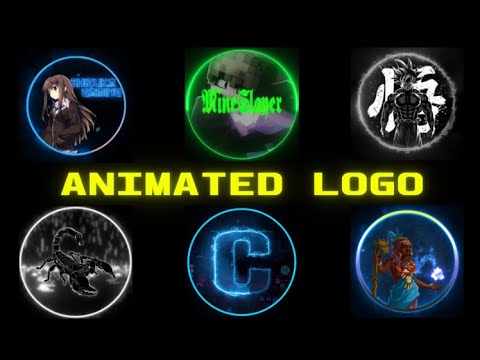
Tutorial covering how to create an animated logo for FiveM, Discord, and roleplay servers.
An in-depth look at how design, psychology, and visual strategy shape brand perception.
Test your logo against real-world conditions including scalability, contrast, and legibility.
Curated archive of real-world font usage across branding and print for typography reference.
Font library and typography resource for logos, branding, and server visuals.
Curated color palette tool for building cohesive brand color systems.
Color discovery tool for finding palette directions based on words and concepts.
Professional design portfolio platform for logo, brand, and visual identity inspiration.
Visual moodboarding tool for collecting and organizing brand references and inspiration.
What separates a strong logo from a weak one.
The strongest logos work at any size and in any context. If your logo breaks at small sizes, it needs to be simplified.
Design in vectors from the start. A logo that only works at one size is not a logo, it is an illustration.
Your wordmark must be readable at a glance. Test it at 32 pixels before calling it done.
Limit your logo to two colors maximum. It must also work in full black and full white before color is applied.
A logo only works when it is used consistently. One version, one set of colors, one set of sizes applied everywhere.